
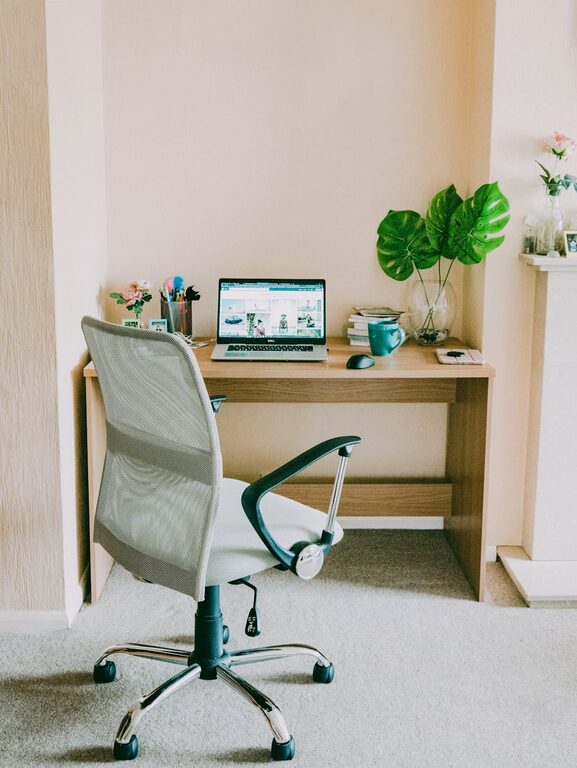
Creating a home office space that encourages productivity can make a huge difference in your work-from-home experience. Whether you work remotely full-time or occasionally need a dedicated spot, setting up an environment that supports focus and comfort is key. This guide provides practical tips to help you design a home office that promotes efficiency and well-being.
Choosing the Right Location
The first step in setting up a productive home office is picking the ideal spot. Here are a few considerations:
– Natural Light: Position your desk near a window if possible. Natural light improves mood and reduces eye strain.
– Quiet Area: Find a space away from noise and distractions, especially if you need to take calls or conduct meetings.
– Space Availability: Choose a spot where you have enough room for your desk, chair, and any equipment or storage you need.
If space is limited, consider using a corner of a room or a closet that can be converted into a compact workspace.
Selecting Furniture for Comfort and Functionality
Your furniture plays a significant role in maintaining productivity and preventing discomfort.
Desk
– Go for a desk that’s the right size for your equipment with extra surface space for writing or other tasks.
– Adjustable desks or sit-stand desks offer flexibility and can help reduce fatigue.
Chair
– Choose an ergonomic chair that supports your back and encourages good posture.
– Look for adjustable height and armrests to personalise comfort.
Storage
– Use shelves, filing cabinets, or organisers to keep your space clutter-free.
– Consider vertical storage to maximise space in smaller rooms.
Organising Your Workspace
An organised workspace helps reduce stress and improves efficiency.
– Declutter Daily: Remove unnecessary items from your desk at the end of each day.
– Cable Management: Use clips or cable trays to keep cords tidy and out of the way.
– Dedicated Zones: Create zones for different tasks, such as a writing area and computer area, to keep focused.
Optimising Lighting
Good lighting is essential for productivity and eye health.
– Combine Natural and Artificial Light: Use daylight as much as you can, supplemented with adjustable desk lamps.
– Avoid Glare: Position screens and lights to prevent reflection on your computer screen.
– Use Warm Light: Softer, warmer bulbs reduce strain during longer working hours.
Minimising Distractions
Maintaining focus at home can be challenging, but these strategies help:
– Set Boundaries: Communicate your work hours to family or housemates.
– Use Noise-Cancelling Headphones: Great for blocking out household noise.
– Keep Personal Devices Away: Restrict phone or tablet use to breaks to avoid temptation.
Personalising Your Space
Adding personal touches can increase motivation and make your workspace inviting.
– Place plants nearby to improve air quality and add visual interest.
– Hang artwork or photos that inspire you.
– Use colour thoughtfully; calming colours like blues or greens can support concentration.
Incorporating Technology Wisely
Ensure your technology supports your workflow smoothly.
– Invest in a reliable computer and high-speed internet connection.
– Use wireless accessories to reduce clutter.
– Set up a second monitor if your work benefits from extra screen space.
Taking Breaks and Moving Around
Remember to take regular breaks to maintain productivity throughout the day.
– Use a timer or app to remind you to stand, stretch, or move.
– Consider short walks or simple exercises to refresh both body and mind.
Maintaining Work-Life Balance
Finally, keep your home office separate from your living areas where possible.
– Close the office door at the end of the workday.
– Avoid working from your bed or sofa, which blurs the boundaries between work and rest.
—
Setting up a productive home office is about creating a space tailored to your needs, combining comfort, organisation, and focus. By thoughtfully arranging your environment and habits, you can greatly enhance your work-from-home experience.